PiDP1-MODS:
UPGRADE YOUR PDP-1
THE ULTIMATE PDP-1 LAB FOR HACKERS

CONTENTS
All the PDP-1 expansion money could buy
A cabinet full of new hardware
New tools: am1 and ad1
New software to run
Trying it yourself
Alongside the standard PiDP-1 software, a second version of the system software has emerged: the PiDP1-Mods. Bill Ezell started it as a set of improvements to the standard software — and took it so much further that it is now a project of its own: an alternative, with its own tools, its own devices and its own software. It is under very active development; this page is up to date as of October 2026. Please visit the github page for the latest: PiDP1-Mods main site
What is in it? Virtual racks full of extra DEC hardware; from the Type 340 vector display (a PDP-10 display, never intended for the PDP-1, but some sites hooked one up anyway) to line printers, microtapes and a drum (an early form of mass storage). Among the tools you will find a modern assembler and debugger that will make for modern-style programming on the One, as well as thousands of lines of documentation. Last but not least, a growing pile of new software to run, from graphics demos to Adventure. You will find a quick overview below.
Some screenshots and photos of PiDP1-Mods for a quick flavor; browse through them with the arrows, click to zoom.
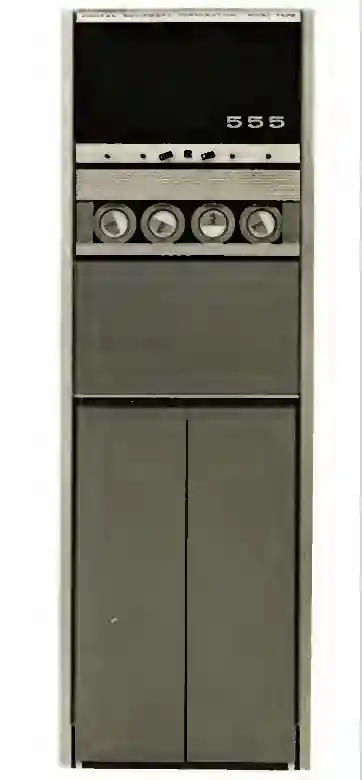
Microtape
with
555
interface
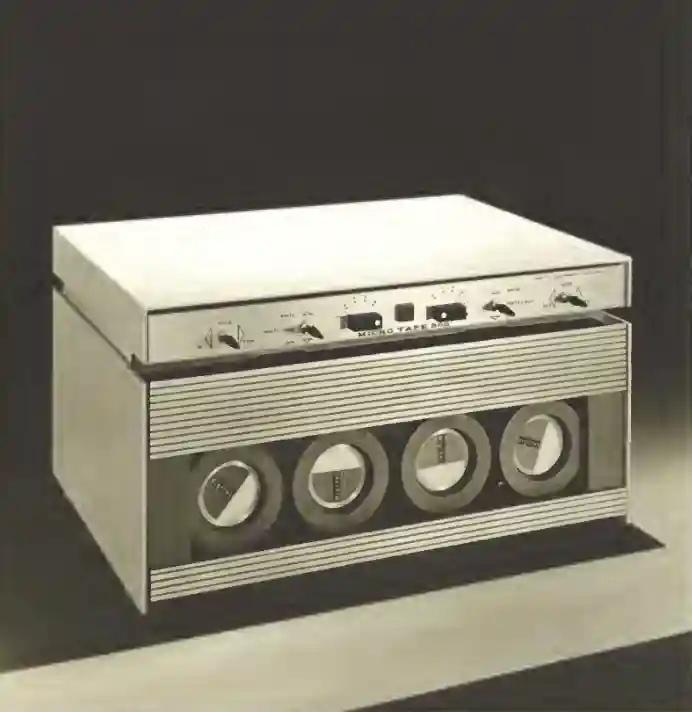
Type 550
Microtape unit
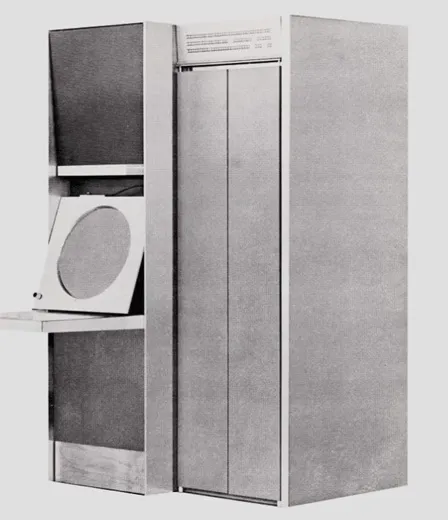
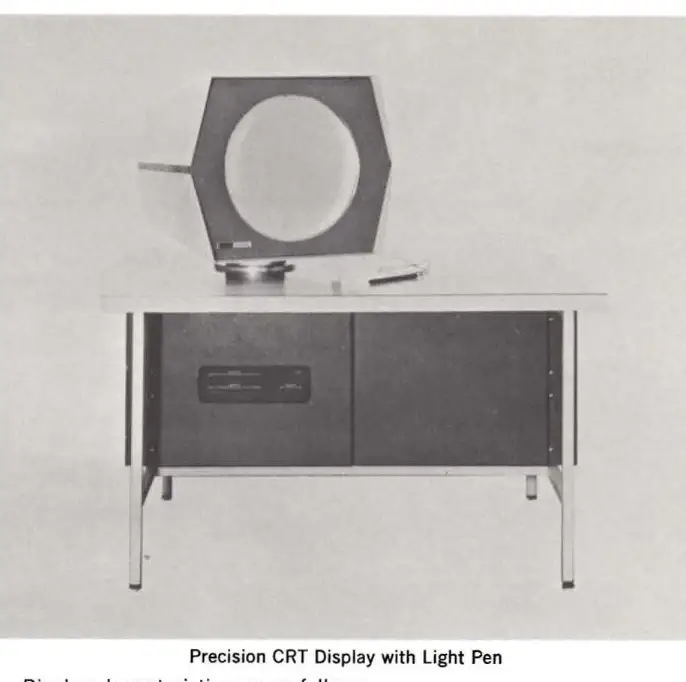
The real Type 340.
Lots of functionality in that huge cabinet
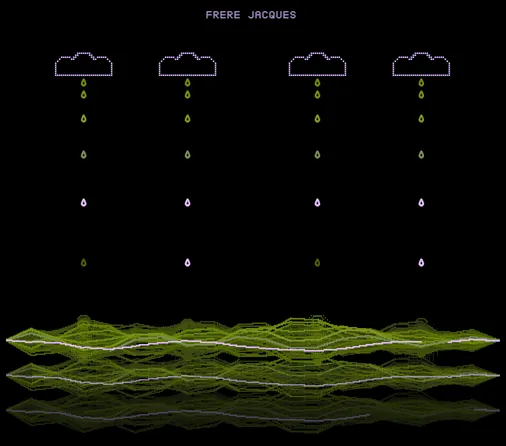
A demo of Type 340 capabilities
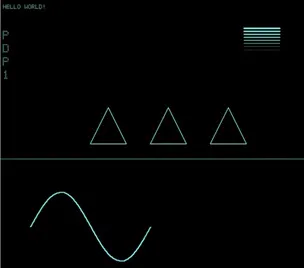
Significantly, very significantly, more can be done with the 340 display
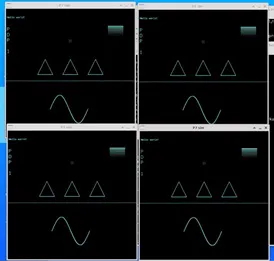
You are not limited to just one Type 340 either
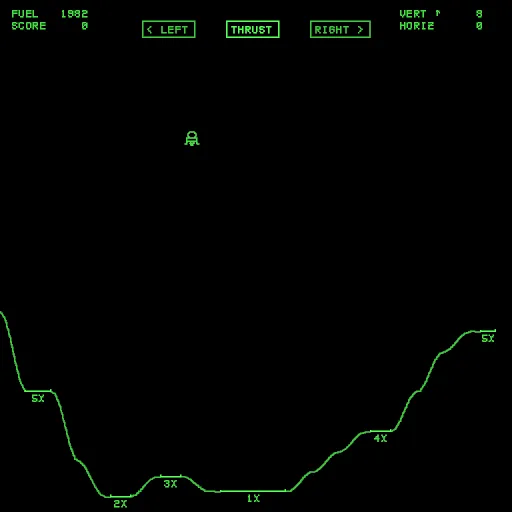
Michael Gardi's masterpiece, Lunar Lander, ported to the 340
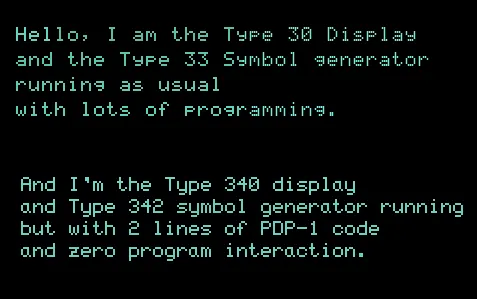
A PDP-1 with both a Type 30 and a Type 340
New Type 30 Simulator.
With its characteristic bezel
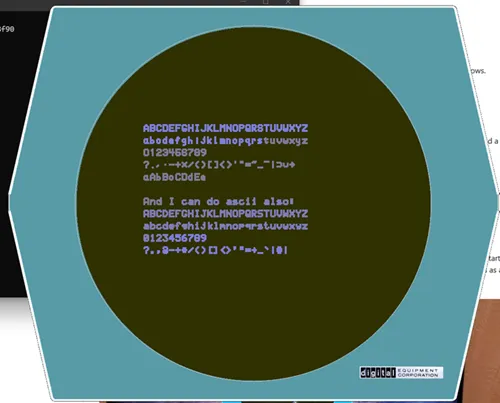
A new, alternative Type 30 simulator, here highlighting the Type 33 symbol generator for the Type 30
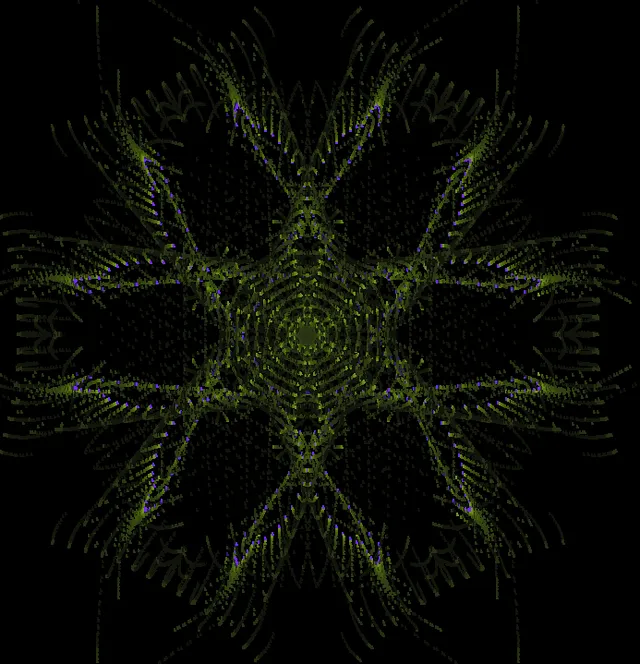
Bill Ezell's 2026 update of Snowflake: Snowflake-2
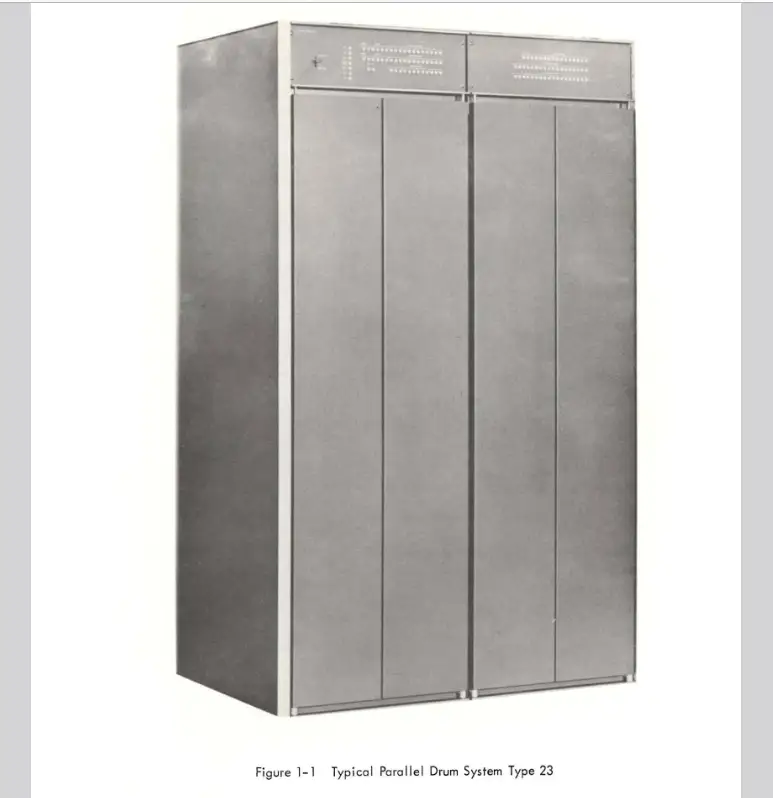
Type 23 Drum:
mass storage for the PDP-1!
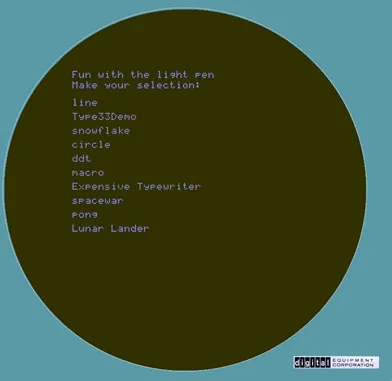
Drum storage, Symbol generator
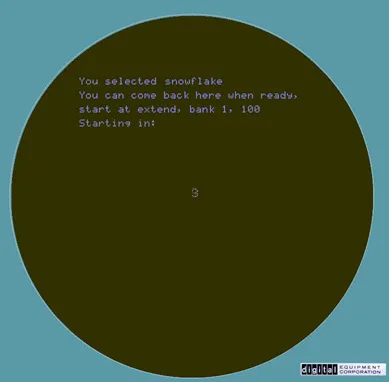
...Used with the light pen (mouse) to select programs off the storage drum
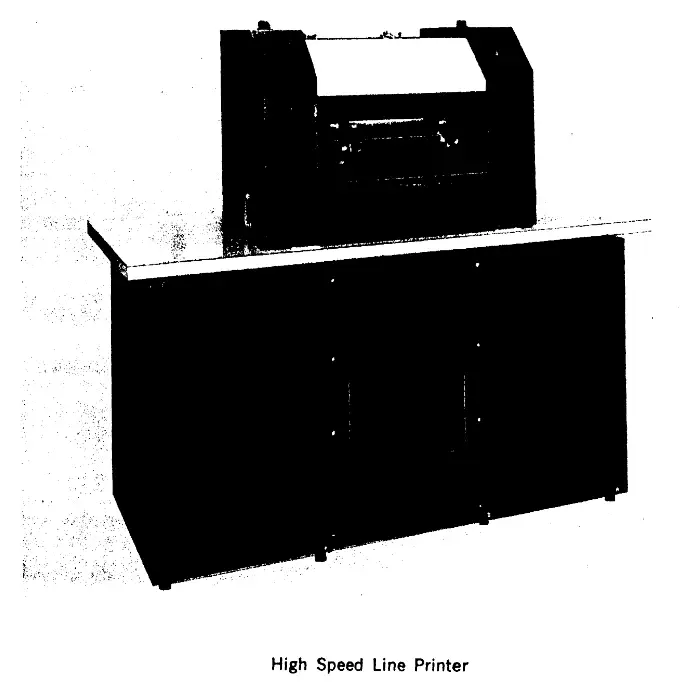
Type 64 Line Printer
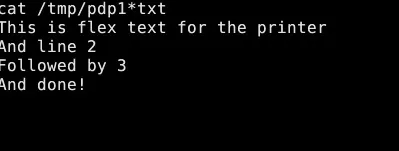
High speed printing for
all your office needs
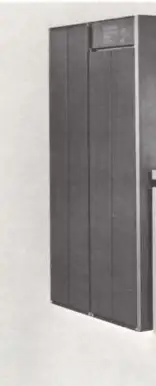
Type 630 DCS
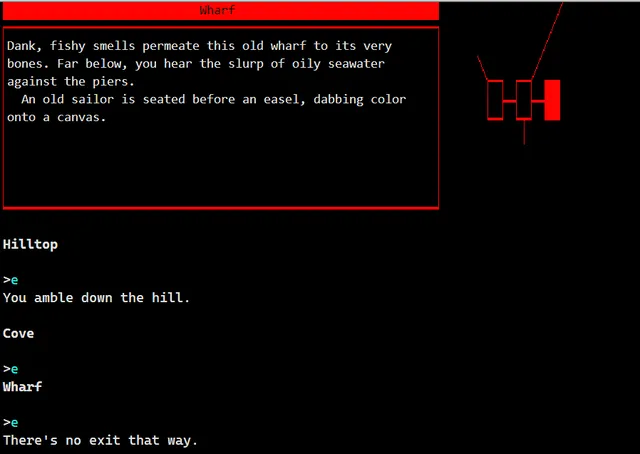
The DCS2 option connects things like a VT-520 terminal. With color. Shown is the port of Beyond Zork(!)
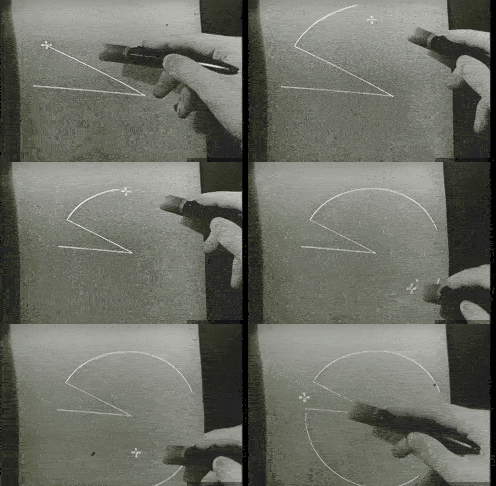
Coming soon: the Sutherland sketchpad, ported from TX-2
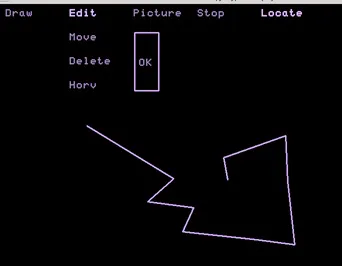
Demo for now: menus on a vector display!
All the PDP-1 expansions money could buy
PiDP1-Mods is an independent, much-extended version of the PiDP-1 software, developed by Bill Ezell (wjenh on GitHub). It began as modifications to the standard software, but has diverged so far that it now follows its own path.
The standard 'pidp1' software and pidp1-mods are not competitors — they are two different branches. The standard version gives you the classic PDP-1 as it stands in the Computer History Museum today, with the original tools and software. PiDP1-Mods is for exploring how much further the old machine could and can be pushed. As your familiarity with the PDP-1 grows, you will likely want both installed. One lives in /opt/pidp1/, the other in /opt/pidp1-mods. Just run the install script of either one; just the section "Install PiDP-1 commands into OS?" needs to be run to switch between the two. Angelo Papenhoff (pidp1) and Bill Ezell (pidp1-mods) stay in touch and (dare I say this) will cross-pollinate for sure :-)
Bill's guiding principle is historical accuracy with a hacker's twist: the emulation is exact where it matters — correct behavior, correct timing, verified against the original DEC test programs wherever they survive. But if something could have been done on a PDP-1 in its day, it counts as historically accurate too — the PDP-1 was a hacker's dream machine, after all. So yes, there is a full Adventure game in here, and a ZMachine that runs Infocom story files. Did they exist in the 60s? No. But they could have, if someone had thought of it.
So: the standard pidp1 software gives you the PDP-1 experience as it was: the original tools, the original software, the classic machine. If you want your program to run on the CHM PDP-1, use this. PiDP1-Mods lets the system be hacked with all possible hardware: extra devices in the cabinet. But also, new tools, new software. Once you've grown comfortable with the basic PDP-1, you should explore further with PiDP1-Mods. You can always switch back and forth between the two versions as your interests lead you.
A cabinet full of new hardware
The most visible difference: PiDP1-Mods fills the PDP-1 cabinet with extra DEC hardware — all of it written as separate I/O devices, exactly like the real machine's expansion slots, and all of it switchable. For true hackers, this opens up the intriguing possibility of adding your own 'fantasy devices'. You might want to add an Atari 2600 graphics chip to your PDP-1. But perhaps not. Bill's list of added hardware, however, is certainly very authentic:
- Type 340 precision vector display: a newer display, used on the PDP-10 and never intended for the PDP-1 — but some PDP-1 sites hooked one up anyway, and it's emulated here in full, with all options and multiterminal support.
- Type 23 parallel drum: complete with a drum image full of ready-to-run programs, managed by new drum tools.
- Type 550/500 microtape drives: four drives for LINCtape/DECtape images.
- Type 62 and Type 64 line printers: for when the typewriter is not enough.
- Type 630 Data Communications System: the historic communications system — now speaking sockets and telnet, so your PDP-1 can talk to the modern world.
- Type 33 symbol generator: text and graphics for the Type 30 display.
- BBN timesharing clock: the clock behind BBN's early time-sharing system.
- High speed channels and the extra PDP-1D instructions — handy extensions, but switchable, so you can always return to strict stock behavior.
Everything is set up in
/opt/pidp1-mods/pidp1.config, and can be changed on the fly — edit the file, reload, done. No recompiling necessary.
New tools: am1 and ad1
A big part of the pleasure of PiDP1-Mods is its toolchain, and these tools are standalone programs. You can use them with the standard pidp1 software too, or with any other PDP-1. Well, there is only one other, in the CHM.
am1 is a new macro assembler for the PDP-1. Where the original macro1 is crude and error-prone, 'giving you the authentic feel of 1960s coding', am1 is friendly: clear error messages, modern syntax, include files for all the new devices, and an optimizer. It can even emit macro1-compatible output, if you insist. Writing PDP-1 code becomes a pleasure instead of reliving the
ad1 is a symbolic, source-level debugger for the new emulator: stepping through your program by source line, breakpoints, inspection. And for the traditionalists, DDT is still there, of course.
Further tools: a disassembler for RIM binaries and memory images, a viewer for the documentation tapes, the drum utilities, and a converter for old macro1 sources. Last but not least: almost 5,000 lines of new documentation, in more than 20 documents. Bill's standing advice: read the documentation — most things reported as not working turn out to be features nobody knew about yet. Click on the image below to visit the documentation for am1 and all the other pidp1-mods additions:

New software to run
A lot of new software ships with PiDP1-Mods — all written in the new am1 assembler, source included:
- Adventure: the classic text adventure, running on your PDP-1. Impossible in 1960? Technically, yes — in spirit, no.
- A ZMachine for Infocom story files: Zork on a machine that could never have run it. Until now.
- Pong: the classic, converted to the new assembler.
- Type 340 graphics demos, showing what the big vector display of the PDP-10 can do on the One.
- Lightpen demos: drawing, tracking (these programs work on pidp1 as well). And picking programs from the drum, which is the first thing you should explore.
- Character generator demos: easy text on the Type 30 (these programs work on pidp1 as well).
- Rotator and Switcher: cycle through drum programs automatically, or serve them over a telnet connection — pick what runs on your PDP-1 from the network.

Trying it yourself
PiDP1-Mods is free and open source, and lives here: github.com/wjenh/pidp1-mods.
Installation follows the familiar routine: check out the repository under /opt (a shallow clone saves you a lot of history), then run the install script and follow the prompts, just like you are used to.
cd /opt
sudo git clone --depth 1 https://github.com/wjenh/pidp1-mods.git
cd /opt/pidp1-mods/install
./install.sh
It builds into its own directory,
/opt/pidp1-mods, and can exist next to a standard installation. See the two as separate worlds, you switch between them by rerunning their install.sh script - just say Y to the section "Install PiDP-1 commands into OS?". That lets you hop back and forth as your projects change.
With two versions on the shelf, you get the best of both: the standard software for the classic PDP-1 experience, and PiDP1-Mods for everything beyond. Enjoy the machine — Bill certainly does, and we suspect you will too.
Questions and feedback are welcome in the PiDP-1 Google Group — or open an issue on Bill's GitHub.